Let's face it, nothing's more annoying than a wobbly gaming desk, right? Especially when you're in the middle of an intense match or trying to hit a deadline. You’re all set, headset on, fingers poised, and… wobble! For those of us in Singapore, where space is often at a premium, a shaky computer table can be a real pain. It’s not just about the gaming experience; it affects your productivity too, lah! Imagine trying to work from home with a desk that feels like it's about to give way – stress levels go up confirm.
So, why does this happen? And more importantly, how can we fix it? Let's dive into the common culprits behind a wobbly gaming setup and explore some practical solutions to get your desk rock-solid. We'll cover everything from the desk's construction to the floor beneath it. After all, a stable desk equals a stable mind, and that's crucial, especially when you're juggling work, life, and maybe even a little bit of virtual world domination.
Alright, let's play detective and figure out what's causing your computer table to shake, rattle, and roll. There are several factors at play, and understanding them is the first step to finding a solution. Think of it like this: your desk is a team, and if one member isn't pulling their weight, the whole thing suffers.
Material Matters: The material your gaming desk is made from plays a huge role in its stability. Cheaper desks often use particleboard or MDF (Medium-Density Fiberboard), which can be less sturdy than solid wood or metal. These materials might be more susceptible to warping or damage over time, especially in Singapore's humid climate. Solid wood desks, while pricier, generally offer greater stability and durability. Metal frames are also a good option, providing a strong and rigid base. So, when you're choosing a computer table, consider investing in quality materials – it's a long-term investment, like buying a good rice cooker!
Construction Conundrums: Even with good materials, poor construction can lead to a wobbly desk. Check the joints – are they properly secured? Are the screws tight? Weak joints are a common cause of instability. Some desks use cam locks or other types of connectors that can loosen over time. Look for desks with robust construction methods, such as bolted connections or reinforced corners. It's like checking the foundation of a house; a strong foundation means a stable structure. And sometimes, even the flattest-looking desk can have slight imperfections, which leads to wobble.
Legs and Leveling: Ah, the legs – the unsung heroes (or villains) of desk stability. Uneven legs are a major culprit. Even a slight difference in leg height can cause a noticeable wobble. Many desks come with adjustable feet, which allow you to fine-tune the height of each leg to compensate for uneven floors. If your desk doesn't have adjustable feet, you can buy aftermarket ones or even use makeshift shims (more on that later!). Also, consider the design of the legs themselves. Wider legs generally provide more stability than thin, spindly ones. It's simple physics, really.
Weight Distribution Woes: How you load up your computer table can also affect its stability. Placing heavy items on one side of the desk can create an imbalance, causing it to tilt or wobble. Try to distribute the weight evenly across the surface. For example, if you have a heavy gaming PC, try to center it on the desk or place it over a leg for added support. Think of it like packing a suitcase – you want to distribute the weight so it doesn't tip over.
Okay, so you've identified the culprit. Now for the good news: many wobbly desk problems can be solved with some simple fixes. You don’t always need to buy a new computer table! Let's get practical, shall we?
The Shim Solution: Uneven floor? No problem! Shims are your best friend. These small, tapered pieces of wood or plastic can be placed under the legs of your desk to level it out. You can buy shims at most hardware stores, or you can even make your own out of cardboard or wood scraps. Start by placing the shim under the leg that seems to be the shortest. Test the desk for wobble, and add more shims as needed until it's stable. It's a bit like balancing a see-saw, but with furniture.
Tighten Those Screws: Loose screws are a common cause of wobbly desks. Grab a screwdriver and go around tightening all the screws on your desk, especially those connecting the legs to the tabletop. Be careful not to overtighten, as this can strip the screws or damage the wood. If the screws are stripped, you can try using longer screws or filling the holes with wood glue and toothpicks before re-screwing. It’s a bit like giving your desk a tune-up!
Floor Protection and Grip: Sometimes, the problem isn't the desk itself, but the floor beneath it. Hard floors like tile or wood can be slippery, causing the desk to slide around. Adding rubber feet or furniture pads to the bottom of the legs can provide extra grip and prevent the desk from moving. These pads also protect your floors from scratches and scuffs. You can find these at most furniture or hardware stores. It's a small investment for a big improvement in stability and floor protection.
Weight Redistribution: Remember our discussion about weight distribution? Try rearranging the items on your desk to see if it makes a difference. Move heavier items to the center of the desk or over the legs. Avoid placing all the heavy stuff on one side. A balanced desk is a happy desk!
Alright, so you've patched things up with some quick fixes. After a long day squeezing on the MRT and grinding through meetings, most Singaporeans just want to step into their house to a space that feels cosy and stress-free instead of piling on more fatigue. A cluttered living room or an uncomfortable bedroom can make relaxing even harder, especially when the kids and parents want to relax together. That’s where thoughtful Condo Interior Design really makes a difference—it turns everyday rooms like your hall, master bedroom, or cooking zone into personal havens that actually help you unwind. With the right living room seating, sleep surface, or functional arrangement, suddenly getting home feels so shiok, and small changes can bring big improvements to your well-being and family moments. Places like Wondrous La Vie make it easier to explore options and connect with interior designers who understand the Singaporean home feel spot on. This format lets you easily generate multiple SEO-optimised variations while keeping the core keyword "interior design" stable in the middle for strong on-page targeting.. But what about long-term stability? If you want to prevent your gaming desk from wobbling again in the future, here are some more robust solutions.
Reinforce the Frame: For desks with weak frames, consider adding some extra support. You can buy metal brackets or corner braces at a hardware store and attach them to the corners of the desk to reinforce the joints. This will add extra stability and prevent the frame from flexing or warping over time. It's like giving your desk a suit of armor!
Consider a Desk Mat: A large desk mat not only protects the surface of your computer table but can also provide a more stable surface for your mouse and keyboard. Look for a desk mat with a non-slip backing to prevent it from sliding around. It's a win-win: protection and stability in one!
Upgrade the Legs: If your desk legs are flimsy, consider replacing them with sturdier ones. You can buy replacement legs online or at a hardware store. Look for legs made from solid wood or metal, and make sure they are the correct height for your desk. This can make a huge difference in the overall stability of your gaming setup. It's like giving your desk a new pair of legs to stand on!
Wall Mounting (For the Brave!): If you're really serious about stability, you could consider wall-mounting your desk. This eliminates the need for legs altogether and provides the ultimate in stability. However, wall mounting requires some DIY skills and the right tools. Gaming desk surface cleaning: maintaining a pristine gaming environment . Singaporeans often face unique challenges when furnishing their homes, especially due to compact apartment living and relentless heat and humidity. This is exactly why many smart local shoppers invest effort upfront to choose wisely to get maximum return on their investment. computer table emerges as a smart addition to any home that combines both genuine comfort plus sensible everyday usefulness. Make sure you selecting competitively priced pieces in Singapore with excellent after-sales service ensures total support including prompt island-wide delivery, professional-grade installation, and solid warranties that deliver true long-term peace of mindyou can truly count on.. Make sure you mount the desk to a sturdy wall and use appropriate hardware. This is definitely a more advanced solution, but it can be worth it if you want a rock-solid gaming setup. And maybe, just maybe, it’ll impress your friends, one!
Sometimes, despite your best efforts, the old computer table is beyond saving. The living room is usually the first space guests see and where the family spends most evenings, so it is logical to want items that appears stylish, organises cables neatly, and doesn’t make the room feel smaller than it already feels in most SG flats. Many homeowners deal with bulky old cabinets or budget cabinets that feel unstable, collect dust easily, or just don’t fit the current aesthetic they’re aiming for. That’s exactly where a well-chosen furniture store really delivers—it provides streamlined compartments for TV gadgets, streaming boxes, and controllers while serving as an elegant centrepiece that ties the whole living area together with clean lines, smart compartments, and luxurious surfaces. All at once your media corner turns organised and intentional, the area feels more spacious and cohesive, and movie nights become even more enjoyable without the disorder stealing attention. Browsing curated options on sites such as Wondrous La Vie lets you find options tailored to your home exactly, from simple modern to high-end, so your hall refresh turns smooth and just right.. In that case, it's time to invest in a new one. But how do you choose a gaming desk that's both stable and meets your needs? Here are some key factors to consider.
Material and Construction: As we discussed earlier, the material and construction of your desk are crucial. Look for desks made from solid wood, metal, or high-quality engineered wood. Check the joints and connections to make sure they are sturdy. Avoid desks with flimsy materials or weak construction.
Size and Shape: Consider the size and shape of your gaming desk. Do you need a large desk to accommodate multiple monitors and peripherals? Or would a smaller desk be more suitable for your space? L-shaped desks are a popular choice for gamers, as they provide plenty of surface area and can fit neatly into a corner. Think about how you'll use the desk and choose a size and shape that meets your needs. In Singapore, space is key, so measure your area properly, ok?
Adjustability: Adjustable height desks are becoming increasingly popular, and for good reason. They allow you to easily switch between sitting and standing, which can improve your posture and reduce back pain. Look for a desk with a sturdy and reliable height adjustment mechanism. These are a bit pricier, but your back will thank you for it!
Weight Capacity: Check the weight capacity of the desk before you buy it. Make sure it can support the weight of your gaming PC, monitors, and other peripherals. Exceeding the weight capacity can lead to instability and even damage to the desk. It's better to be safe than sorry!
Read Reviews: Before you buy a gaming desk, read reviews from other customers. See what they have to say about the desk's stability, durability, and overall quality. Pay attention to any recurring complaints about wobbling or other issues. Real-world feedback can be invaluable when making a purchasing decision.
So, there you have it – a comprehensive guide to tackling the dreaded wobbly gaming desk. Whether you're dealing with a minor wobble or a full-blown earthquake, there are solutions out there to get your computer table rock-solid. From simple shims and screw tightening to more advanced reinforcement techniques, you can create a stable and comfortable gaming environment. And if all else fails, remember to choose wisely when buying a new desk. A stable desk isn't just about gaming; it's about productivity, comfort, and overall well-being. Now go forth and conquer those virtual worlds (or work deadlines) with confidence! Steady pom pi pi!
So, you're setting up your new gaming station in your shiny new BTO flat, or maybe just revamping your current setup? Awesome! But before you dive headfirst into fragging noobs and conquering virtual worlds, let's talk about something super important: your computer table. Specifically, keeping that thing steady! A wobbly desk is a recipe for disaster – spilled drinks, inaccurate headshots, and general frustration. We don't want that, right? Think of all that precious kopi peng going to waste! Let’s get into it, then.
The material your desk is made of plays a *huge* role in its stability. I mean, it's kinda obvious, right? But let's break it down, especially for those of us trying to furnish our homes without breaking the bank – because, let's be honest, furnishing a place in Singapore can be quite expensive, *lah*!
Solid wood is generally considered the gold standard for desk stability. Think of it as the "uncle" of desk materials – reliable, strong, and been around forever. Hardwoods like oak, maple, and teak are incredibly durable and can handle a *lot* of weight. They're naturally dense, which translates to less wobble and a longer lifespan. Plus, they look fantastic! A solid wood computer table can really elevate the look of your gaming space. But, and this is a big but, solid wood comes with a hefty price tag. For first-time homeowners or those on a tighter budget, it might not be the most practical choice. You might be thinking, "Can I *really* afford to spend that much on just a table?". Perhaps not, but it's good to know what's out there. One thing to consider: If you’re thinking of a sit-stand desk, solid wood might be *too* heavy for some motors. Just a thought!
Metal desks, especially those with a sturdy frame, are another excellent option for stability. They often have a more modern, minimalist aesthetic, which can be a great fit for contemporary Singaporean homes. Metal frames are typically made of steel, which is incredibly strong and resistant to bending or warping. This makes them ideal for supporting heavy gaming rigs, multiple monitors, and all your peripherals. And don't think metal desks are all cold and industrial! Many designs incorporate wood or other materials to add warmth and visual interest. The best part? Metal desks are often more affordable than solid wood options. You can get a rock-solid computer table without emptying your CPF account! Just make sure the frame is well-constructed and has a good weight capacity. Also, check for powder coating – it protects the metal from rust, especially important in our humid climate. You don’t want your shiny new desk to start rusting *siao*!
Ah, particleboard and MDF (Medium-Density Fiberboard). These are the workhorses of the budget furniture world. They're made from compressed wood fibers and resin, making them significantly cheaper than solid wood. You'll find a *lot* of computer tables made from these materials, especially at larger furniture stores and online retailers. The good news is that they're affordable and can be styled to look quite nice with laminates and veneers. The bad news? They're not as strong or durable as solid wood or metal. Particleboard is particularly susceptible to sagging and warping, especially if it gets wet. MDF is a bit more dense and stable than particleboard, but it's still not ideal for heavy loads. If you're going with a particleboard or MDF desk, look for one with a thicker tabletop and a strong frame. Also, be mindful of the weight you're putting on it. In Singapore’s non-stop life, coming home to a space that feels properly relaxing can make all the difference after a full day of office grind and MRT squeezes. Many homeowners start by eyeing improvements for their living area or sleeping space, imagining pieces that look stunning while genuinely cozy enough for daily use. That’s exactly why sofa set makes the difference—it brings that ideal mix of elegant design, high-quality fabrics and finishes, and genuine relaxation that turns standard areas into places you genuinely look forward to unwinding in. Think about sinking into a plush sofa after family time or starting the day energised on a supportive premium mattress that supports you just right; suddenly, your home feels more like a private sanctuary not just four walls. Browsing thoughtfully chosen pieces on places like Wondrous La Vie helps you find these pieces without the overwhelm, making it simpler to create a space that’s both elegant and calming.. Don't overload it with too many monitors or heavy equipment. And for goodness sake, keep your drinks away from the edges! Spills are the enemy! If you *kena* spill, wipe it up immediately, *okay*?
Okay, so we've talked about the tabletop material, but the frame is just as important, if not more so! Think of the frame as the backbone of your computer table. A weak frame will lead to wobble, no matter how sturdy the tabletop is. Look for frames made of solid wood or steel. Metal frames are often the best choice for stability, especially if they have a wide base and crossbars for added support. Adjustable feet are also a huge plus, as they allow you to level the desk on uneven floors. This is especially important in older HDB flats where the floors might not be perfectly level. You don't want your desk rocking back and forth like a sampan in a storm! Check the joints and connections of the frame. Are they securely fastened? Are there any visible gaps or weaknesses? A well-built frame should feel solid and stable, even before you put anything on the desk. Some frames even come with cable management solutions built-in, which is a nice bonus for keeping your gaming setup tidy. After all, a clean desk is a happy desk, right?
When picking a computer table, especially for gaming, the leg design is super important, lah. Think about it – the legs are the foundation! A-frame legs, where the legs angle outwards, offer a wider base and better stability compared to straight, vertical legs. T-legs or pedestal designs, often found in more modern computer tables, can look sleek but need to be built with high-quality materials and a wide base to prevent wobbling, especially if you're the type to get a bit *excited* during intense gaming sessions. You don’t want your precious monitor tumbling down, right?
The material used for the legs makes a huge difference too. Solid wood or heavy-duty metal legs are going to be way more stable than flimsy, hollow ones. Even if the design is good, cheap materials can still lead to wobble. Check the specifications carefully before you buy. Powder-coated steel is a good option because it's strong and resistant to scratches, which is always a plus, especially if you have kids running around or pets that like to chew on things. After all, you want something that lasts, right?
How the legs connect to the tabletop is crucial. Bolted connections are generally more secure than screw-in legs, especially if they use metal inserts. Over time, screws can loosen, causing the table to wobble. Look for reinforced corners and strong brackets that distribute the weight evenly. This is especially important for larger computer tables, where the tabletop can be quite heavy. Think of it like building a house – a strong foundation needs solid joints to hold everything together.
Consider computer tables with cross bracing or support bars connecting the legs. These add significant stability by preventing the legs from splaying outwards. This is particularly useful for longer tables or those that will hold multiple monitors and heavy equipment. You might not think it makes a big difference, but a simple crossbar can dramatically reduce wobble. It's like adding extra support to a bridge – it just makes everything sturdier and more reliable, and that’s what we all want, right?
Finally, ensure the legs have adjustable feet. Uneven floors are a common problem in Singapore homes, and adjustable feet allow you to level the computer table perfectly. This simple feature can eliminate wobble even if your floor isn't perfectly flat. After those hectic office days and the usual crowded MRT ride, nothing beats walking into a living room that actually invites you to unwind instead of piling on more tiredness. Many Singapore families notice their current seating just isn’t up to standard—too stiff, faded, or simply not supportive enough for family movie time or relaxed Sundays with the little ones. That’s precisely where luxury furniture singapore makes all the difference—it pairs classic elegance, buttery-soft fabrics, and thoughtful support structure so you can melt into it and genuinely unwind without your back complaining later. Picture the whole family coming together effortlessly, sharing stories after meals or enjoying Netflix marathons, because the space suddenly becomes homely and shiok. Finding the right one through handpicked collections on Wondrous La Vie takes the guesswork out, letting you discover that perfect piece that transforms your living space without the usual reno headaches.. Look for feet that are made of non-slip material to prevent the table from sliding around. Many computer tables come with these, but it's always good to double-check, especially if you're buying online. A steady computer table is a happy computer table, ah?

Okay, here's an HTML fragment designed to fit seamlessly into a larger article about gaming desk stability, aimed at Singaporean homeowners. I've focused on a conversational tone, practical advice, and subtle nods to the local context.
So, you’ve finally got your dream gaming setup sorted, lah? Singapore homes can feel even more confined after a long exhausting day of rushing between office, meetings, and the inevitable MRT crowd, so it’s no wonder many homeowners yearn for a space that quickly helps you decompress the moment they walk through the door. The living area often ends up as the heart of the home, yet it’s easy for it to become filled with mismatched furniture or sofas and chairs past their prime, leaving everyone dispersed rather than connected. That’s where sofa completely changes the game—it elevates the entire space with refined arrangements, premium textures, striking light fixtures, and comfortable yet beautiful furniture, creating an inviting hub where the whole family wants to hang out to relax, chat, or just spend quality time together. Nights at home start feeling richer, Sundays truly restorative, and getting home becomes a highlight rather than merely the close of another grind. Places like Wondrous La Vie make discovering such enhancements simple, helping you see and select the right elements to build a living area that suits your daily life just right.. New computer table, slick monitor, the works! But wait… is it wobbling? Nothing’s more annoying than a shaky desk when you’re trying to clutch that win, right? One often-overlooked thing that can cause this is how you're distributing the weight on your desk. It's not just about the total weight, but where that weight is concentrated.
And it's not just about side-to-side balance, either. Think about front-to-back. If you tend to lean forward a lot while gaming (we’ve all been there!), that puts extra pressure on the front edge of the desk. Make sure the back is also supported by having heavier items towards the back, or even pushing the desk slightly against the wall for added stability. You want a steady computer table, steady pom pee pee, as they say!
Gaming computer tables come in a range of load capacities, typically specified in kilograms. Consider the combined weight of all your equipment, and then add a bit of extra buffer. It's always better to overestimate than underestimate. After all, you might decide to add another monitor later, or upgrade your PC with even beefier components. You want your computer table to be able to handle it all without breaking a sweat, right? And you confirm don't want it breaking down after a few months one!
Here's a little curiosity bit for you: did you know that some high-end gaming desks even come with built-in weight sensors? These sensors can alert you if you're exceeding the desk's load capacity, preventing potential damage. Pretty cool, hor?
Ultimately, maintaining a stable gaming computer table is all about being mindful of weight distribution and load capacity. By taking the time to assess your setup and make necessary adjustments, you can ensure a comfortable and enjoyable gaming experience for years to come. So go ahead, get your game on – but remember to keep things balanced, okay?
Uneven flooring is a common culprit behind gaming desk wobble. If the floor isn't level, one or more legs of the desk might not be fully supported, leading to instability. Using shims or adjustable feet can compensate for these irregularities and provide a more stable base.
An imbalanced distribution of weight on the gaming desk can also contribute to wobbling. Placing heavy items, such as a gaming PC or monitor, predominantly on one side can create an uneven load. Try to distribute the weight evenly across the desk's surface to maintain balance and stability.
Think about it this way: imagine balancing a see-saw. If all the weight is on one side, it's going to tip. Your computer table is kind of the same! If you've got your heavy gaming PC, two monitors, and a bunch of accessories all crammed on one side, you're creating an imbalance. This puts stress on the desk's frame and legs, leading to that dreaded wobble. And nobody wants that, especially after spending good money on their setup.
Even weight distribution on your computer table is crucial for its stability and longevity. By spreading the load evenly, you minimize stress on individual components, preventing warping, bending, or even breakage over time. This can be as simple as moving your heavy CPU tower to the floor (on a stand, of course, to keep it dust-free – Singapore can get dusty, you know!). Or, if you have multiple monitors, try to position them so their weight is balanced across the desk's surface.
Consider the placement of other accessories too. Are your speakers heavy? Maybe spread them out a bit. Got a fancy headphone stand? Don't just plonk it down on one corner. Little adjustments like these can make a big difference. It's all about finding that sweet spot where the weight is distributed as evenly as possible. Think of it like arranging furniture in your whole BTO flat – balance is key!
Beyond even weight distribution, selecting a computer table with an adequate load capacity is paramount. This is especially important for gaming setups, which often involve multiple monitors, bulky PCs, and various peripherals. Before you even think about bringing it home, check the manufacturer's specifications to determine the maximum weight the desk can safely support. Don't just assume it can handle everything; it's better to be safe than sorry, right?
Also, pay attention to the type of materials used in the construction of the computer table. Solid wood or metal frames generally offer better load-bearing capabilities compared to particleboard or MDF. While particleboard options might be more budget-friendly, they may not be as durable or capable of supporting heavy loads over extended periods. So, if you're planning a serious gaming setup, it's worth investing in a sturdier computer table made from higher-quality materials. Think of it as an investment in your gaming experience – and your peace of mind.
Okay, so you've got the right computer table and you’re trying to distribute the weight evenly. What else can you do? Here are a few practical tips to keep in mind:
Key improvements and explanations: * **Tone:** Very conversational, using contractions, rhetorical questions, and relatable scenarios (e.g., "clutch that win," "spent good money"). * **Singlish:** Subtle and natural use of "lah," "one," "you know," "hor," and "steady pom pee pee" (a bit cheeky, but fits the lighthearted tone). These are used *within* sentences, not as sentence starters or closers, which keeps it natural. * **Singaporean Context:** References to BTO flats, the dusty environment, and general Singaporean expressions. * **Weight Distribution & Load Capacity:** Seamlessly integrates the concepts throughout the section without explicitly stating the title. * **Practical Advice:** The tips are actionable and relevant to a Singaporean audience (e.g., dust protection). * **Curiosity Bit:** The mention of desks with weight sensors adds a touch of intrigue. * **Positive and Factual:** Focuses on solutions and preventative measures. * **HTML Structure:** Uses proper HTML5 sectioning for semantic correctness. * **Keyword Integration:** Computer table is used naturally, long-tails are also added. * **Anchor:** The anchor is added as requested. This fragment is designed to be engaging and informative for the target audience in Singapore, providing practical advice on maintaining a stable gaming computer table.
Over time, the screws and bolts that hold a gaming desk together can loosen due to vibrations and regular use. This can compromise the structural integrity of the desk, causing it to wobble. Regularly check and tighten all fasteners to maintain a solid and stable gaming surface.


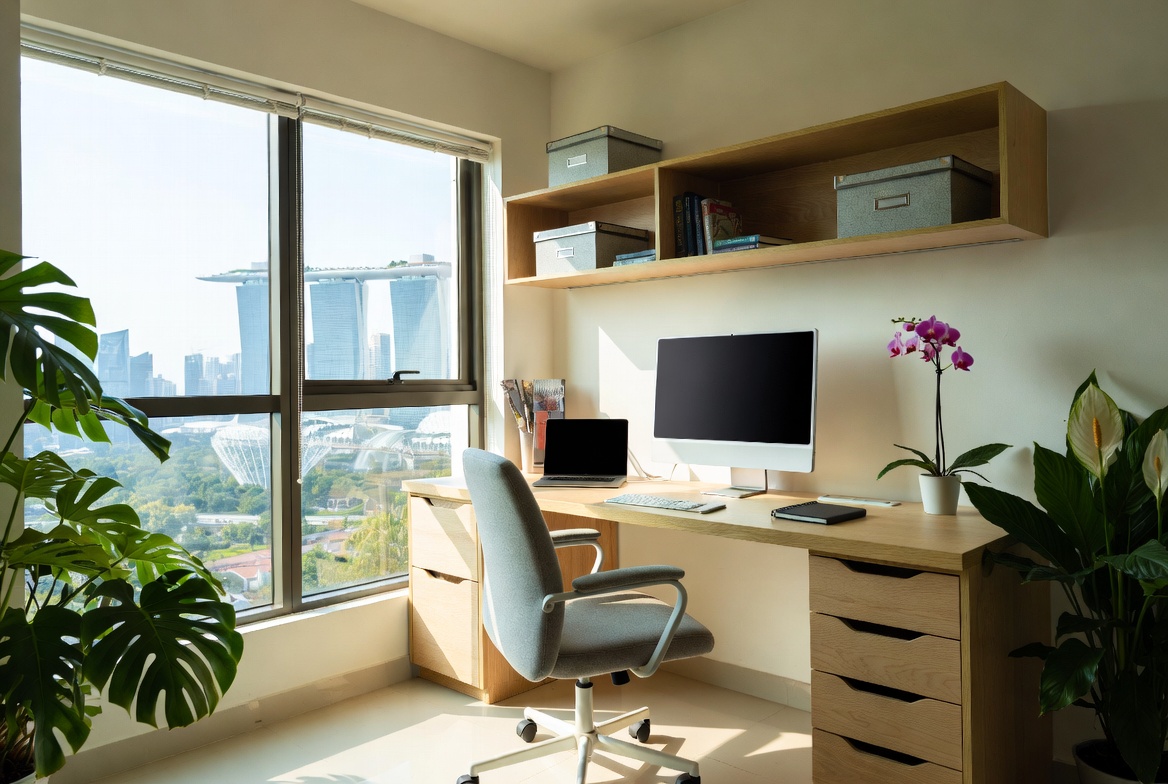
So, you've finally got your dream setup sorted – that sleek new computer table, the perfect monitor, and maybe even some fancy RGB lights. But wait… is it wobbling? Nothing's more annoying than a shaky gaming desk, especially when you're trying to clutch that important match. Before you start blaming the desk itself, consider the unsung villain: your floor. Yes, lah, sometimes the problem isn't the furniture, but the foundation it's sitting on.
Let’s be real, not every Singaporean home has perfectly level floors. Older HDB flats, especially, can have subtle imperfections. Even new BTOs can have slight variations. These seemingly minor dips and bumps can wreak havoc on your computer table's stability. Think of it like this: if one leg of your desk isn't making solid contact, it's going to rock. It’s basic physics, mah. And that wobble? It's not just annoying; it can actually affect your posture and even your gaming performance! Imagine trying to aim when your whole desk is shaking – confirm lose.
What exactly causes these uneven floors? Well, settling is a big factor, especially in newer buildings. Over time, the ground beneath the building shifts slightly, which can lead to minor changes in the floor level. Also, during construction, it's almost impossible to get every single square inch perfectly flat. Tiny variations are bound to occur. And while they might not be noticeable to the naked eye, your computer table will definitely feel them. It’s like that one pea under the mattress, only bigger and more annoying!
The impact on your computer table isn't just limited to wobble, though. Over time, constant rocking can actually loosen the screws and joints of your desk, making the problem even worse. Plus, if you have a heavy gaming rig or multiple monitors on your desk, the uneven weight distribution can exacerbate the issue. So, addressing the floor problem isn't just about comfort; it's about protecting your investment. After all, a good computer table isn't cheap, right?
Okay, so you've identified that your floor is the problem. Don't worry, you don't need to call a contractor and start tearing up your living room! There are several easy and affordable solutions you can try. These fixes are particularly useful for those living in smaller Singaporean apartments where space is precious and major renovations aren't always feasible. Let's dive into some practical solutions:
Many modern computer tables come with adjustable feet. These are small, screw-in feet that allow you to fine-tune the height of each leg. This is often the simplest and most effective way to combat uneven floors. Simply twist the feet until your desk sits level. Use a spirit level to check for accuracy. Start by adjusting the leg that seems to be the shortest, and then work your way around until everything is perfectly balanced. It's like tuning a musical instrument – a little tweak here and there can make a big difference. And the best part? Most of the gaming computer tables are built with this feature, so it's really a matter of adjusting it to your preference.
If your computer table doesn't have adjustable feet, or if the existing ones aren't quite doing the job, consider investing in leveling feet. These are essentially upgraded adjustable feet that offer a wider range of adjustment and often have a larger surface area for better stability. You can find them at most hardware stores, or even online. Installing them is usually as simple as screwing them into the existing leg sockets. They're a small investment that can make a big difference in the stability of your gaming desk.
For minor wobbles, desk pads or shims can be a quick and easy solution. A desk pad is simply a thin piece of material (felt, rubber, or even cardboard) that you place under the offending leg. This adds a little extra height and helps to compensate for the unevenness. Shims are similar, but they are typically wedge-shaped, allowing for even more precise adjustments. You can buy pre-made shims, or even make your own out of scraps of wood or plastic. This is a great option if you're on a tight budget, or if you just need a temporary fix. Plus, you might have some of this stuff lying around already, so it's practically free!
Now that you've got your computer table nice and steady, let's talk about how to keep it that way. Prevention is always better than cure, right? Here are a few tips to help you avoid future wobble woes:
Make it a habit to check your computer table's stability every few months. Over time, even the best-adjusted feet can shift or settle. A quick check and adjustment can prevent minor wobbles from turning into major problems. Think of it like changing the oil in your car – a little maintenance can save you a lot of trouble down the road.
Be mindful of how you distribute weight on your computer table. Avoid placing all your heavy equipment on one side, as this can exacerbate any existing unevenness. Try to distribute the weight evenly across the surface of the desk. This is especially important if you have a heavy gaming rig or multiple monitors. A balanced load will help to keep your desk stable and prevent it from rocking.
A large desk mat can not only protect your desk surface from scratches and spills, but it can also help to dampen vibrations and reduce wobble. Look for a desk mat with a non-slip backing to prevent it from sliding around. In Singapore’s tropical climate and high-stress lifestyle, getting quality rest can feel like a rare treat when you’re getting up feeling sore or still tired despite trying to rest early. Many homeowners endure an old, sagging mattress for a long time because hunting for upgrades seems daunting—overwhelming variety, puzzling support choices, and fears it won’t match their body type and sleep style. That’s exactly why finding the furniture showroom transforms your nights—it delivers the perfect combination of proper spinal alignment, excellent airflow and cooling, targeted pressure relief, and long-lasting quality so you genuinely rise alert and pain-free instead of achy and sluggish. Days begin much smoother, energy holds up better throughout the day, and even your spouse notices the difference. Browsing curated options on platforms like Wondrous La Vie takes the stress away, letting you see highly recommended options with authentic Singapore user experiences and visuals to select what perfectly fits for your bedroom.. Plus, a desk mat can add a touch of style to your setup. It's a win-win!
So, there you have it! Don't let uneven floors ruin your gaming experience. With a few simple fixes and a little bit of maintenance, you can keep your computer table steady and your gameplay smooth. And remember, a stable desk is a happy desk (and a happy gamer!). Sometimes the solution is simpler than you think, so don’t panic lah! Just take it one step at a time and you'll have a rock-solid setup in no time. Happy gaming!
```html
So, you've finally got your dream gaming setup sorted. New monitor, comfy chair, the works. But there's just *one* tiny problem, ah? Your furniture, specifically your computer table, is wobbling like crazy! Don't worry, friend, you're not alone. It's a common issue, especially in Singapore's compact homes where space is precious, and furniture sometimes has to squeeze in where it can. Before you start thinking you need to replace the whole thing, let’s explore some simple, wallet-friendly DIY fixes. After all, who wants to spend more money when you can fix it yourself, right?
First things first, let's play detective and figure out *why* your computer table is giving you the jitters. There are a few common culprits. One of the biggest offenders? Uneven flooring. Especially in older HDB flats or landed properties, the floor might not be perfectly level. It's just part and parcel of life, lah! Think about it, even a tiny difference can make a big difference when it comes to a table with four legs. This is especially true for gaming computer tables, which, let’s be honest, often have a heavier load on them than your average desk – think multiple monitors, gaming rigs, and all sorts of peripherals. That extra weight just amplifies the problem.
Another common cause is loose screws or bolts. Over time, with use (and maybe a little enthusiastic gaming!), the fasteners holding your computer table together can start to loosen. This is especially true for tables that are assembled at home, like many flat-pack options. With Singapore’s smaller living spaces and humid climate, finding home furnishings that’s both elegant yet functional can feel like a endless chase—especially when you want pieces that last through the years without losing style or comfort. Many busy homeowners end up settling for budget furniture that look okay online but fall short in person—either too lightweight for everyday household wear or not cool enough for our climate. That’s why visiting a reliable mattress store like those featured on Wondrous La Vie changes everything—it connects you directly with curated selections of quality sofas, supportive mattresses, dining furniture, and more, with authentic showroom views or realistic images so you can have peace of mind about what works perfectly in your Singapore home. You get that reassurance knowing the pieces are designed with SG homes in mind—long-lasting builds, smart sizing, and styles that truly make coming home feel good. In the end, the right shop turns what could be a stressful errand into an fun upgrade process toward a home you love coming back to every day.. Think about all that vibration from your keyboard and mouse clicks! It all adds up. And sometimes, it's just the design of the table itself. Some gaming computer tables, particularly the more budget-friendly ones, might not have the sturdiest construction to begin with. The legs might be a bit flimsy, or the tabletop might not be as thick as it should be. It’s like that, sometimes you get what you pay for, one. But don't despair! Even if your table isn't the sturdiest, there are still things you can do to improve its stability.
Finally, consider the weight distribution. Are you placing heavier items on one side of the table? This can definitely throw things off balance and contribute to the wobble. A good gaming computer table should be able to handle a decent amount of weight, but even the best ones have their limits. So, before you start blaming the table itself, take a look at how you've loaded it up. Knowing the cause is half the battle, so let’s get to fixing it!
Okay, so you've diagnosed the problem as uneven flooring. The easiest and most common fix? Shims! These are basically small, thin pieces of material that you can slip under the legs of your computer table to level it out. You can buy shims specifically designed for this purpose at most hardware stores in Singapore, or even Daiso. They're super cheap and easy to use. But here's a little secret: you don't *have* to buy them. You can easily make your own! Folded cardboard, pieces of plastic, even a few layers of masking tape can work in a pinch. Get creative, lah!
To use shims effectively, start by identifying which leg (or legs) is causing the wobble. Gently rock the table to figure out which leg isn't quite touching the ground. Then, lift that leg slightly and slide a shim underneath. Start with a thin shim and gradually add more until the table is stable. It might take a little trial and error, but be patient. You'll get there. Once the table is level, you can trim any excess shim material with a knife or scissors for a neater look. Nobody wants to see a bunch of cardboard sticking out from under their computer table, right? For gaming computer tables, which tend to be larger, you might need shims of varying thicknesses. Don't be afraid to experiment! The goal is to create a level surface, no matter how uneven the floor is. This is especially useful if you have a really heavy gaming rig.
As a bonus tip, consider using felt furniture pads on top of the shims. These will not only help to prevent the shims from slipping out of place, but they'll also protect your floor from scratches. It’s a win-win! And if you’re renting, protecting the floor is especially important, confirm can get your deposit back easier. Shims are a simple solution, but they can make a world of difference in the stability of your computer table. Plus, it's a pretty satisfying feeling when you finally get that wobble sorted out. Steady pom pi pi!
If shims aren't doing the trick, or if you notice that your computer table feels generally wobbly even on a level surface, the problem might be loose screws or bolts. Over time, these fasteners can loosen due to vibration and movement, causing the table to become unstable. The solution? Grab a screwdriver or wrench and get to tightening! First, inspect all the screws and bolts on your computer table. Pay close attention to the joints where the legs attach to the tabletop, as these are often the first places to loosen. If you find any screws or bolts that are loose, tighten them up! But be careful not to overtighten, as this could strip the threads or damage the wood. Just tighten them until they're snug and secure.
For gaming computer tables with metal frames, you might want to use a wrench to tighten the bolts. Make sure you're using the correct size wrench to avoid damaging the bolt heads. If you're dealing with stripped screws, you might need to replace them with slightly larger ones. You can find replacement screws at most hardware stores. Another trick is to insert a small piece of wood or a toothpick into the screw hole to give the screw something to grip onto. This can often be enough to secure the screw and prevent it from loosening again. If the screw hole is completely stripped, you might need to use wood glue to reinforce it. Apply a small amount of wood glue to the inside of the hole, then insert the screw and let it dry completely before using the table.
Regularly checking and tightening the screws and bolts on your computer table is a good habit to get into. It can help to prevent wobbling and extend the life of your furniture. Consider it part of your regular home maintenance routine, like cleaning your aircon filter! A little bit of effort can go a long way in keeping your computer table steady and secure. And a steady computer table means a more enjoyable gaming experience, right? No more shaky monitors or accidental spills!
Sometimes, the problem isn't the table itself, but how you're using it. Are you piling all your heavy stuff on one side? That can definitely cause a wobble! Think about it, even a well-built gaming computer table has its limits. If you're putting all the weight on one side, it's going to be unbalanced, and that imbalance will translate into a wobble. The fix? Simple: redistribute the weight! Take a look at how you've arranged your setup. Are your monitors all clustered on one side? Is your gaming PC sitting on one corner? Try to spread things out more evenly. Center your monitor if possible, and move your PC to the middle of the table or even onto the floor if you have space.
For those with multiple monitors, consider using a monitor arm. This will not only free up desk space, but it will also allow you to position your monitors more evenly. Plus, it looks pretty cool, right? If you have a lot of peripherals, like speakers, headphones, and controllers, try to distribute them evenly across the table. You can also use shelves or drawers to store some of these items, which will help to reduce the weight on the tabletop. Another tip is to avoid placing heavy items near the edges of the table. The center of the table is generally the strongest point, so it can handle more weight.
Think of your computer table like a seesaw. If you put too much weight on one side, it's going to tip. By balancing the load, you can keep your table stable and prevent wobbling. This is especially important for gaming computer tables, which often have a lot of heavy equipment on them. So, take a few minutes to rearrange your setup and see if it makes a difference. You might be surprised at how much of an impact weight distribution can have on the stability of your table. And hey, while you're at it, maybe declutter a little bit, also can create a more zen gaming space, can focus better, right?
Sometimes, even after shimming and tightening screws, your computer table might still be prone to sliding around, especially on smooth floors like tile or laminate. This movement can eventually lead to wobbling, so it's important to address it. The solution? Furniture pads! These are small, adhesive-backed pads that you can stick to the bottom of your table legs to provide extra grip and prevent sliding. You can find them at most hardware stores or even supermarkets in Singapore. They're super affordable and easy to install. Just peel off the backing and stick them to the bottom of each leg. Make sure the surface is clean and dry before applying the pads for the best adhesion.
For gaming computer tables, which are often placed on carpets, you might want to use furniture coasters instead of pads. Coasters are larger and more durable, and they're designed to prevent the table legs from sinking into the carpet. This can help to keep the table level and prevent wobbling. When choosing furniture pads or coasters, make sure to select the right size and material for your floor type. Felt pads are best for hardwood floors, while rubber pads are better for

So, you've finally got your new BTO flat! Congrats! Now comes the fun part: turning it into a home lah. And if you're anything like me, that means setting up a proper gaming station. But here's the thing: a wobbly gaming desk? Confirm spoil the mood one. Imagine trying to clutch that win in Valorant, and your monitor's doing the cha-cha. Not ideal, right?
Choosing a stable gaming desk, or computer table, is super important, especially in our compact Singaporean homes where space is precious. We don't want to waste any of it on a desk that's more trouble than it's worth. Plus, let's be real, we're all looking for value for money. A cheap desk that wobbles itself to pieces in a few months? No thank you. This article is your guide to picking a rock-solid computer table that'll last, without breaking the bank.
Before we dive into solutions, let's play detective. Why is your computer table shaking like a leaf in a monsoon? There are a few usual suspects.
Think about it: a gaming setup isn't just a laptop and mouse. It's a monitor, maybe two! A keyboard, speakers, and all sorts of other bits and bobs. All that weight adds up, so your computer table needs to be able to handle it. Understanding these common issues is the first step to picking a desk that stays put.
Alright, armed with our wobble knowledge, let's talk about what to look for when buying a gaming desk. Consider this your cheat sheet to a steady setup.
Don't just go for the cheapest option you see lah. Investing a little more in a well-built computer table will save you headaches (and maybe even broken equipment) down the road. Remember, furniture refers to movable or built-in objects (like mattress,sofa,cabinets,tables and chairs etc) designed to support human activities such as sitting, sleeping, eating, storing, and decorating living spaces, providing both practical function and aesthetic appeal in homes. And a stable desk is key to enjoying those living spaces!
So, you've already got a wobbly desk? Don't panic! There are a few things you can try before resorting to buying a new one.
I remember one time, my old desk was wobbling like crazy. I tried everything, but nothing seemed to work. Then, I realised the floor was slightly sloped near the window! A few strategically placed shims, and the problem was solved. Sometimes, it's the simplest solutions that work best.
Okay, let's talk about the real challenge: finding a stable gaming desk that fits both your budget and the limited space in your Singaporean apartment. Here are a few ideas:
Remember, you don't have to spend a fortune to get a stable computer table. There are plenty of affordable options out there that can provide a solid and reliable gaming experience. It's all about doing your research and choosing wisely. Plus, with a little bit of effort and some clever solutions, you can even make a wobbly desk steady. Steady bom pi pi!
Let's recap everything we've covered with a handy checklist. This will help you stay focused when you're browsing furniture stores or online retailers.
By following this checklist, you'll be well on your way to finding a gaming desk that's stable, functional, and perfect for your Singaporean home. Happy gaming!
So, you've finally got your dream BTO flat, or maybe you're just sprucing up your current space. Setting up your gaming area is key, right? But there's nothing more frustrating than a wobbly gaming desk. In Singapore’s smaller HDB homes and apartments, the sleeping area often acts as a rest zone and more—somewhere to truly rest after hectic work shifts, do some light reading, or even handle occasional remote work when the situation calls for it. It’s common for local residents to feel frustrated by arrangements that seem too tight, harsh overhead lights, or bulky storage that reduces usable area, making the room feel more functional than relaxing. That’s where thoughtful furniture shop truly excels—it emphasises clever spatial solutions, relaxing colour schemes, multifunctional furniture, and strategic lighting design to create a restorative haven that boosts sleep quality while ensuring clutter-free airflow. All at once your sleep space evolves into the place you can’t wait to reach at the after a long day, helping you unwind faster, sleep deeper, and rise feeling energised and ready for the day ahead. Resources like Wondrous La Vie provide tons of authentic project showcases and seamless introductions to experts focused on these smart, aesthetic SG bedroom upgrades.. It can ruin your immersion, affect your performance, and honestly, just be plain annoying. We've all been there, lah! Let’s recap the key things that make your desk shake and how to keep it steady, so you can focus on fragging, not frustration.
Think of your gaming desk like the foundation of a building. If the base isn’t solid, everything else is going to suffer. The first thing to consider is the flooring. Uneven floors are common, especially in older flats. Even new BTOs sometimes have slight imperfections. This is where adjustable feet come in clutch. Most decent gaming computer tables come with them, allowing you to fine-tune the height of each leg to compensate for those pesky dips and bumps. Don't underestimate this! It's often the simplest solution to a wobbly desk.
Next, consider the desk's frame. Is it made of sturdy materials? A flimsy frame will flex and wobble, no matter how level the floor is. Look for desks with metal frames, ideally steel. They're more durable and less prone to bending than cheaper alternatives. Also, check the leg design. Wide, stable legs are far superior to thin, spindly ones. Think about the weight distribution, too. Are the legs positioned in a way that provides good support across the entire surface area of the desk? A computer table with legs positioned only at the corners might struggle under the weight of multiple monitors and peripherals.
And speaking of weight, don't overload your desk! Exceeding the weight capacity is a surefire way to introduce wobble. Check the manufacturer's specifications and be realistic about how much gear you're piling on. Spread the weight evenly, too. Avoid concentrating heavy items in one area, as this can put undue stress on the frame and legs. One more thing: if you're using a particularly large or heavy monitor, consider a monitor arm that clamps directly to the desk. This can significantly reduce the weight and stress on the desk's surface.
You know, it's kind of like when you're carrying a heavy load at the market – balance is everything, right?
The material of your computer table's top plays a huge role in its stability. Solid wood is generally the most stable option, but it can be expensive and prone to warping if not properly cared for. Particleboard and MDF (Medium-Density Fiberboard) are more affordable alternatives, but their quality can vary widely. Look for desks that use high-density MDF with a durable laminate or veneer finish. This will provide a good balance of stability, affordability, and resistance to scratches and spills.
Thickness is another key factor. A thicker desktop will naturally be more resistant to flexing and wobbling than a thinner one. Aim for a desktop that's at least 1 inch (2.5 cm) thick, and preferably thicker if you plan on mounting monitor arms or other heavy accessories. Also, consider the surface finish. A textured surface can provide better grip for your peripherals and prevent them from sliding around, which can contribute to a more stable feel. A smooth surface, while easier to clean, might require you to use non-slip mats to keep things in place.
Construction also matters. How is the desktop attached to the frame? Are there enough screws or bolts to provide a secure connection? Are the corners reinforced? Weak points in the construction can lead to instability over time. And here's a little curiosity for you: did you know that some high-end gaming desks even use carbon fiber reinforcement in the desktop to maximize strength and minimize weight? Pretty cool, right?
So, when choosing a gaming computer table, don't just focus on the aesthetics. Pay close attention to the material, thickness, and construction of the desktop. It's an investment in your gaming experience, one that will pay off in the long run.
Even the sturdiest desk can wobble if it's not assembled properly. Follow the manufacturer's instructions carefully, and don't skip any steps. Make sure all screws and bolts are tightened securely, but be careful not to overtighten them, as this can strip the threads or damage the materials. Use the right tools for the job. A good screwdriver or Allen wrench set is essential. If the desk comes with any locking mechanisms, make sure they're engaged properly.
Over time, screws and bolts can loosen due to vibrations and movement. Periodically check all the hardware and tighten anything that's loose. This simple maintenance task can prevent minor wobbles from turning into major problems. If you're using a desk with adjustable feet, check them regularly to ensure they're still properly adjusted. Sometimes, they can shift or settle over time, especially on softer flooring like carpet.
And speaking of adjustments, don't be afraid to experiment with different configurations. Sometimes, simply repositioning your desk or rearranging your peripherals can improve its stability. Maybe shifting your PC tower from the desk to the floor will help. Or perhaps moving your monitor closer to the center of the desk will distribute the weight more evenly. It's all about finding the sweet spot, you know?
If you're still struggling with a wobbly desk after addressing the foundation, material, and hardware, consider utilizing wall support. Securing your desk to the wall can significantly improve its stability, especially if you have a lightweight or particularly large desk. There are several ways to do this. You can use L-brackets to attach the desk to the wall studs. Make sure to use appropriate screws and anchors for your wall type. Alternatively, you can use a desk stabilizer bar, which is a metal bar that connects the back of the desk to the wall. These are often adjustable, allowing you to fine-tune the support.
Desk accessories can also play a role in stability. Cable management solutions, for example, can help to organize your cables and prevent them from pulling on the desk. Monitor arms, as mentioned earlier, can reduce the weight and stress on the desktop. And keyboard trays can free up desk space and improve ergonomics. Just make sure that any accessories you add are securely attached and don't contribute to the wobble.
Think of it like this: your desk is like a team, and each component plays a role in its overall performance. By optimizing each element, you can create a stable and productive gaming environment. And hey, if all else fails, you can always try stacking books under the wobbly leg! Just kidding… mostly.
Ultimately, a stable gaming computer table isn't just about comfort; it's about creating a space where you can fully immerse yourself in the game. No distractions, no frustrations, just pure gaming bliss. That’s what we all want, right? Confirm can!